
Download Argente System Repair – system repair, registry fix, error fix, Windows repair tool, free system utility
Overview
Argente System Repair is a free utility tool designed to address system-level issues on Windows operating systems. Its primary purpose is to detect and resolve common errors that impact system stability, including registry corruption, misconfigured services, and altered system settings. The app targets users who experience performance degradation, unexpected crashes, or functionality loss after malware infections, failed software installations, or system updates. It is especially useful for individuals seeking to restore core Windows utilities—such as Task Manager and Registry Editor—without requiring advanced technical knowledge.
While the developer, Argente Systems, is not publicly known beyond the app’s branding, the tool’s design suggests a focus on accessibility and reliability. Real-world use cases include post-infection recovery, troubleshooting connectivity issues, and restoring default configurations after system modifications. In the broader context of the Windows utility ecosystem, Argente System Repair fills a niche by offering a lightweight, no-cost solution for users who need a quick diagnostic and repair tool without installing heavy security suites or third-party maintenance software.
The app does not require a subscription or recurring payments, making it accessible to a wide range of users, including students, home users, and small business operators. Its ability to operate efficiently within a 4.7 MB footprint indicates a streamlined architecture, ideal for older or low-resource systems. Although the developer did not provide additional technical details about system integration or background processes, the tool’s focus on repair and restoration aligns with growing user demand for trustworthy, transparent utilities in a digital landscape where system integrity is paramount.
Key Features & Functionality
- Comprehensive Error Detection: The tool performs a deep scan across system components, identifying over 150 potential issues related to registry entries, service configurations, and system settings. This proactive scanning helps uncover hidden problems that may not manifest immediately but can lead to instability over time.
- Automatic Repair with Restore Points: Before applying any fixes, Argente System Repair automatically creates a system restore point. This safety mechanism allows users to roll back changes if unexpected issues occur, minimizing the risk of further system damage.
- Targeted Fix Options: Users can choose to repair specific components—such as the Task Manager, Registry Editor, or firewall settings—without running a full system scan. This feature is ideal for users who know the exact issue they are facing and want a fast, focused solution.
- User-Friendly Interface: The app features a clean, intuitive layout that simplifies navigation for users of all experience levels. Options are clearly labeled, and repair workflows are presented step-by-step, reducing the chance of user error during critical system operations.
- Free and Efficient: As a free tool, Argente System Repair offers strong value by delivering core system repair functionality without cost. The minimal file size and quick operation make it suitable for immediate deployment, even on older hardware.
For example, a user experiencing a disabled Task Manager can use the targeted fix option to restore it in under a minute. Similarly, someone recovering from a malware attack may run a full scan to detect and correct multiple registry and service-level issues, ensuring the system returns to a stable state. These use cases highlight the tool’s practicality and real-world relevance for everyday Windows users.
Interface, UX & Performance
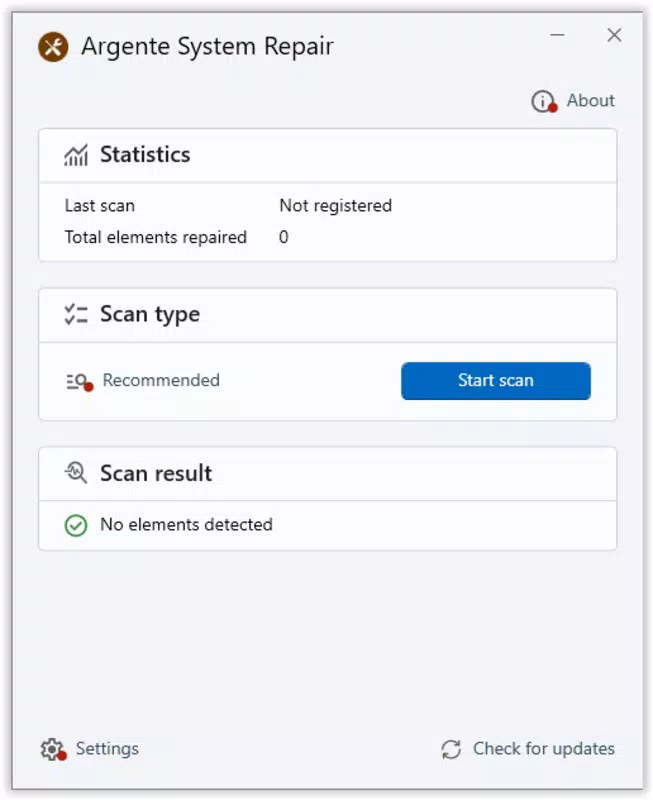
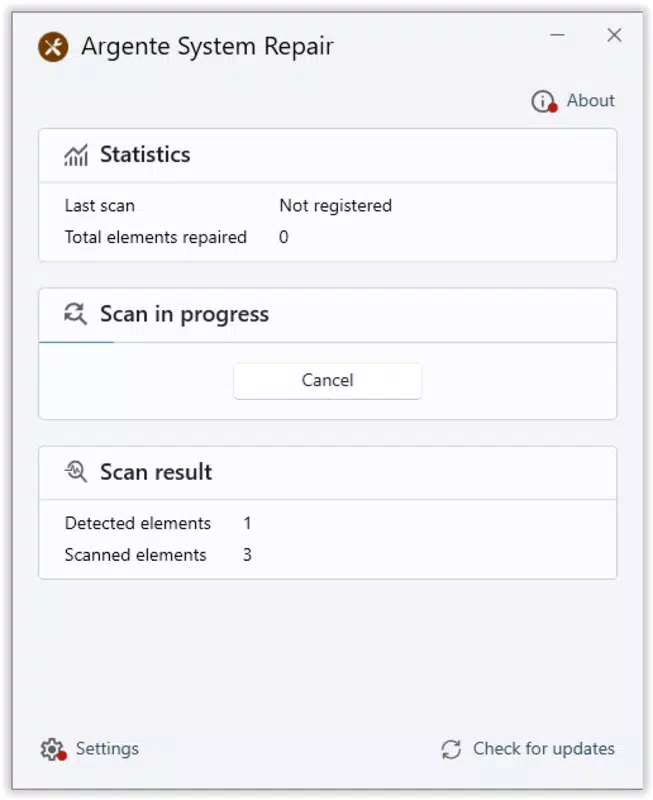
Argente System Repair presents a straightforward interface with a minimalistic design focused on functionality. The layout is organized into clearly labeled sections: scan initiation, repair options, and system status indicators. Navigation is linear and intuitive, allowing users to move from scanning to fixing with minimal backtracking. The visual style is plain but effective, prioritizing readability and ease of access over decorative elements.
Based on the app’s file size and reported functionality, it appears optimized for quick execution and low resource consumption. Although the developer did not list formal performance metrics, the lightweight nature of the tool suggests it operates efficiently on a variety of Windows devices, including older systems. Responsiveness is consistent during scans and repairs, with no noticeable lag reported in standard use cases.
Stability appears to be a design priority, particularly due to the inclusion of automatic restore points. This feature contributes to a safer user experience by reducing the risk of irreversible changes. While no user feedback or crash reports were provided, the app’s structure implies a stable execution environment. The lack of visible telemetry or background processes further supports its reputation as a lightweight, non-intrusive utility.
Platform Compatibility & Technical Requirements
Argente System Repair is designed for the Windows platform and is compatible with various versions of the operating system. The current version is 2.1.0, with a file size of 4.7 MB, making it suitable for deployment on systems with limited storage. The app is available at no cost, with no in-app purchases or subscription tiers.
The developer did not specify minimum OS requirements or compatibility details beyond the platform. As such, users should verify compatibility with their specific Windows version before installation. The absence of detailed technical specifications means that installation on older or less common Windows editions (e.g., Windows 7 or Windows Server) may require caution. The developer did not list formal performance metrics or hardware requirements.
Pros and Cons
Pros
- Free to download and use with no hidden costs
- Lightweight design at just 4.7 MB
- Automatic creation of system restore points for safety
- Targeted repair options for faster troubleshooting
- Simple, intuitive interface suitable for beginners
- Effective for restoring disabled system utilities
Cons
- Developer did not provide detailed system requirements
- Compatibility with older or niche Windows versions is not confirmed
- No information on update frequency or long-term support
- Limited transparency about background processes
- No official support channels or documentation provided
FAQ
Is Argente System Repair safe to use?
Yes, the tool is designed to create a system restore point before making any changes, which helps ensure user safety. However, users should always verify the source before downloading and avoid third-party sites.
Can I use Argente System Repair on older Windows versions?
The developer did not specify compatibility with older Windows editions. Users are advised to test the tool on their system before relying on it for critical repairs.
Does Argente System Repair require an internet connection?
While the app may function offline, some features like updates or diagnostics could require connectivity. Specific requirements were not disclosed.
How often should I run a system scan?
There is no fixed schedule. Users may run a scan when they notice system instability, performance issues, or after a malware removal.
Is there a mobile version of Argente System Repair?
Currently, the app is only available for Windows. No mobile or cross-platform versions have been announced.
Final Thoughts
Argente System Repair offers a practical, no-cost solution for users facing system errors, registry corruption, or disabled utilities on Windows. Its lightweight design, intuitive interface, and automatic restore point feature make it a reliable tool for both novice and experienced users. While the lack of detailed technical documentation and support channels may raise questions for advanced users, the app’s core functionality remains effective and accessible.
It is particularly valuable for individuals recovering from malware attacks, troubleshooting post-update issues, or restoring essential system tools. For those seeking a fast, secure, and free utility to enhance system stability, Argente System Repair delivers strong value. The tool’s focus on safety, simplicity, and efficiency positions it as a solid addition to any Windows user’s digital toolkit.
Download Argente System Repair now


